Program settings
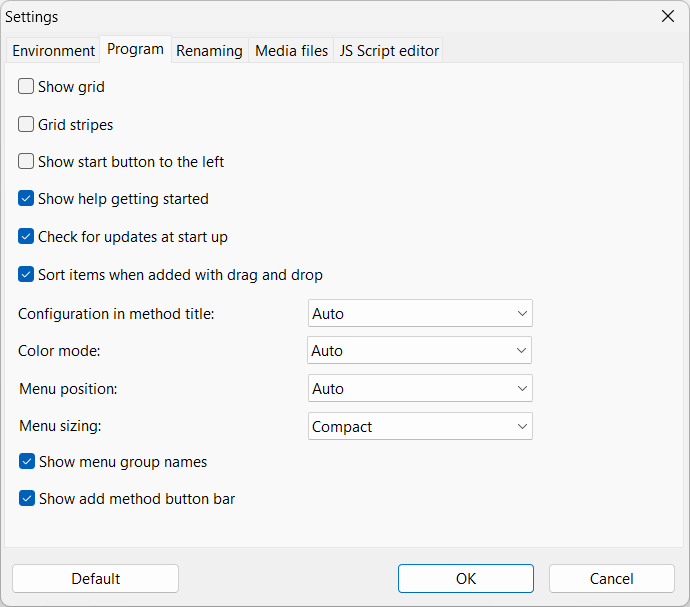
Show grid
Toggles the file and folder list grid lines.
Default: Off
Toggles the file and folder list grid lines.
Default: Off
Grid stripes New in version 4.09
Toggles if the grid will be shown with stripes for better readability.
Default: Windows: Off, macOS: On
Toggles if the grid will be shown with stripes for better readability.
Default: Windows: Off, macOS: On
Show start button to the left
Some like the "Start batch" button to left other to the right. Choose your preferred position.
Default: Off
Some like the "Start batch" button to left other to the right. Choose your preferred position.
Default: Off

Show help getting startet
Will display a button in the grid for fast access to the quick help when there is no files in the list.
Default: On
Will display a button in the grid for fast access to the quick help when there is no files in the list.
Default: On

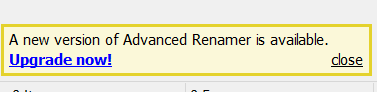
Check for updates at start up
Let Advanced Renamer automatically check for updates every time the program starts. A link to the download site will be displayed in the bottom of the main window when there is an update.
Default: On
Let Advanced Renamer automatically check for updates every time the program starts. A link to the download site will be displayed in the bottom of the main window when there is an update.
Default: On
Sort items when added with drag and drop
Choose if the program shall sort files when they are added with drag and drop (option on). If off, the program will add the files in the order they are selected at the source.
Default: On
Choose if the program shall sort files when they are added with drag and drop (option on). If off, the program will add the files in the order they are selected at the source.
Default: On
Configuration in method title New in version 4.10
Choose if basic method configuration should be displayed in the method title to better distinguish between similar methods. The follow methods doesn't support this setting: List, List Replace, Script, and Trim Manual method description will always override this setting.
Default: Auto
Choose if basic method configuration should be displayed in the method title to better distinguish between similar methods. The follow methods doesn't support this setting: List, List Replace, Script, and Trim Manual method description will always override this setting.
| Auto: | Show configuration in title, if list has more than one of the same type. |
| Always: | Always show configuration in title. |
| Never: | Never show configuration in title. |
Default method configuration New in version 4.21
When adding new methods to the method list, the program will by default use the last used configuration for that particular method type. Change the value to "Blank" to always start with a blank configuration when adding new methods.
Default: Last used
When adding new methods to the method list, the program will by default use the last used configuration for that particular method type. Change the value to "Blank" to always start with a blank configuration when adding new methods.
Default: Last used
Color mode Windows only
Choose between dark og light visual program user interface. When set to Auto, the program will choose the mode selected in Windows settings.
Dark color mode is supported on macOS, but only in auto mode.
Default: Auto
Choose between dark og light visual program user interface. When set to Auto, the program will choose the mode selected in Windows settings.
Dark color mode is supported on macOS, but only in auto mode.
Default: Auto
Menu position
Set where the main program toolbar should be positioned. Choose "Top of window" to have the menu at the very top of the window spanning the entire width of the screen. Option "Top of list" will place the menu just above the list, but to the right of the method panel. When set top Auto, the program will set the menu at the top of the list, unless the window is too narrow, i which case it will automatically move it to the top of the window.
Default: Auto
Set where the main program toolbar should be positioned. Choose "Top of window" to have the menu at the very top of the window spanning the entire width of the screen. Option "Top of list" will place the menu just above the list, but to the right of the method panel. When set top Auto, the program will set the menu at the top of the list, unless the window is too narrow, i which case it will automatically move it to the top of the window.
Default: Auto
Menu sizing
Default: Compact
| Super compact: | Only displays a thin menu bar with dropdown menus representing each button group. This is the most space saving layout. |
| Compact: | Displays the program menu in the default state, with only a small amount of spacing between each menu item. |
| Normal: | The same as Compact but with more spacing between menu items. |
Super compact:

Compact:

Compact:
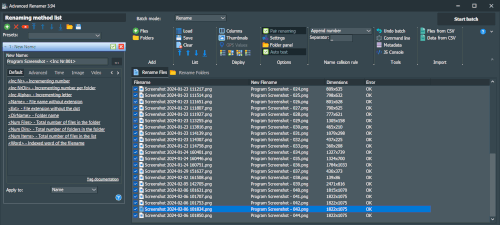
Show menu group names
Determines if the names of the button groups should be visible when the Menu sizing is set to Compact or Normal. Turn this option off to save vertical space in the menu leaving more room for items in the list.
Default: On
Determines if the names of the button groups should be visible when the Menu sizing is set to Compact or Normal. Turn this option off to save vertical space in the menu leaving more room for items in the list.
Default: On

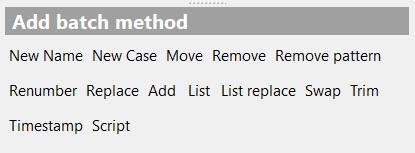
Show add method button bar
Determines if the button bar for quick access to adding methods should be visible.
Default: On
Determines if the button bar for quick access to adding methods should be visible.
Default: On