Media files settings
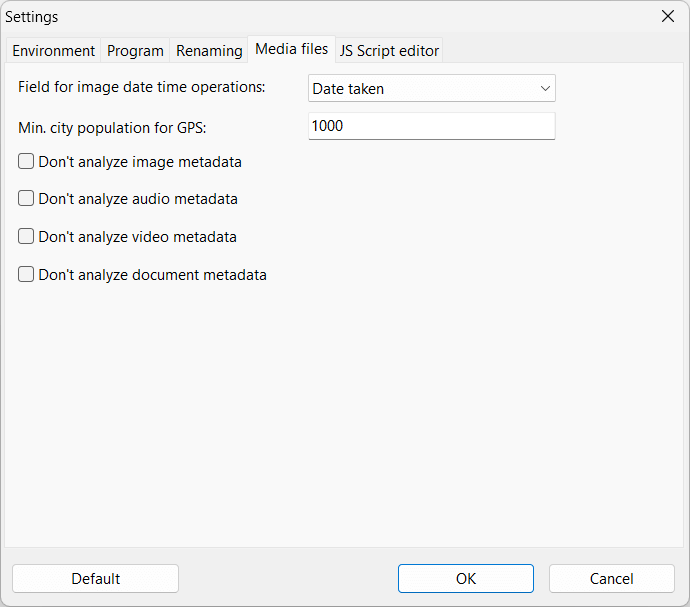
Field for image date time operations
Image files can have multiple different timestamps stored in the metadata information.
Use this option to choose which value you want Advanced Renamer to use when reading file information.
The value "Date Taken" is a calculated field trying several common fields in a prioritized order.
Default: Date taken
Minimum city population for GPS tags New in version 4.02
When using the GPS tags, the program will use a webservice to find the closest city to the GPS coordinates of the image
or video file. The database contains all cities in the world with a population of at least 1000 people. If you prefer the program to find larger cities, you
can change this value to a higher number.
Default: 1000 (minimum 1000, maximum 1000000)
Don't analyze audio metadata
Set this to skip metadata analysis of audio files. Can be used to speed up adding files.
Default: Off
Don't analyze image metadata
Set this to skip metadata analysis of image files. Can be used to speed up adding files.
Default: Off
Don't analyze video metadata
Set this to skip metadata analysis of video files. Can be used to speed up adding files.
Default: Off
Don't analyze document metadata
Set this to skip metadata analysis of document files. Can be used to speed up adding files.
Default: Off