Program settings
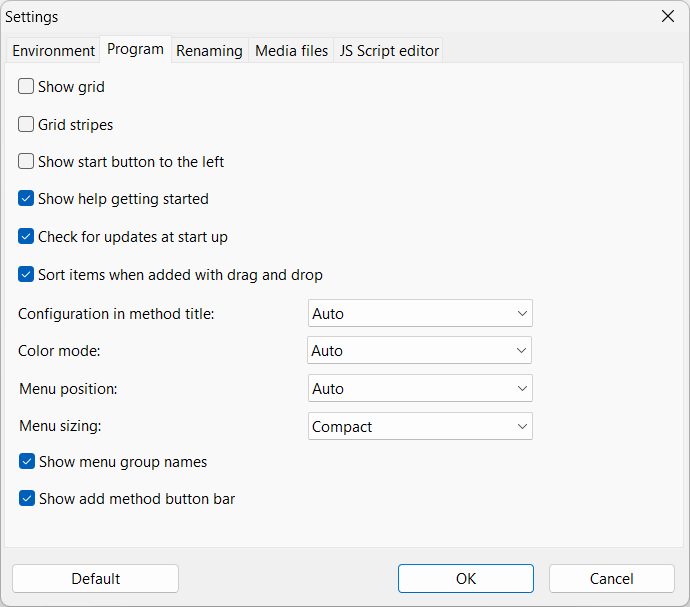
From version 4.28 this page has been split into Program and User Interface
Check for updates at startup
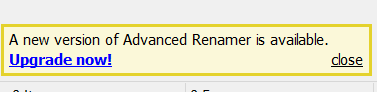
Let Advanced Renamer automatically check for updates every time the program starts. A link to the download site will be displayed in the bottom of the main window when there is an update.
Let Advanced Renamer automatically check for updates every time the program starts. A link to the download site will be displayed in the bottom of the main window when there is an update.
Send anonymous error reports and usage data
Allow Advanced Renamer to send anonymous error reports and feature usage statistics to help identify software problems and improve the program. The data is completely anonymous and does not include filenames, file paths, file contents, or user-identifying information.
Allow Advanced Renamer to send anonymous error reports and feature usage statistics to help identify software problems and improve the program. The data is completely anonymous and does not include filenames, file paths, file contents, or user-identifying information.
Sort items when added with drag and drop
Choose if the program shall sort files when they are added with drag and drop (option on). If off, the program will add the files in the order they are selected at the source.
Default: On
Choose if the program shall sort files when they are added with drag and drop (option on). If off, the program will add the files in the order they are selected at the source.
Default: On
Confirm clear method list New in version 4.28
Ask for confirmation before clearing the method list.
Default: On
Ask for confirmation before clearing the method list.
Default: On
Confirm save on project close New in version 4.28
Ask whether to save changes when closing a project with unsaved changes.
Default: On
Ask whether to save changes when closing a project with unsaved changes.
Default: On
Default method configuration New in version 4.21
When adding new methods to the method list, the program will by default use the last used configuration for that particular method type. Change the value to "Blank" to always start with a blank configuration when adding new methods.
Default: Last used
When adding new methods to the method list, the program will by default use the last used configuration for that particular method type. Change the value to "Blank" to always start with a blank configuration when adding new methods.
Default: Last used
Startup project configuration New in version 4.29
Choose which project configuration to use when Advanced Renamer starts. Select "Last configuration" to restore the configuration from the previous session, or "Blank project" to start with a new project and an empty method list.
Default: Last configuration
Choose which project configuration to use when Advanced Renamer starts. Select "Last configuration" to restore the configuration from the previous session, or "Blank project" to start with a new project and an empty method list.
Default: Last configuration
Default project template New in version 4.29
Select a saved
Default: None
Select a saved
.aren file to use as the default project template for new projects. Set up your preferred batch methods and project settings, save the project, and select that file as the template. Each new project gets its own copy of the configuration, which you can edit and save under a new filename without changing the template.Default: None